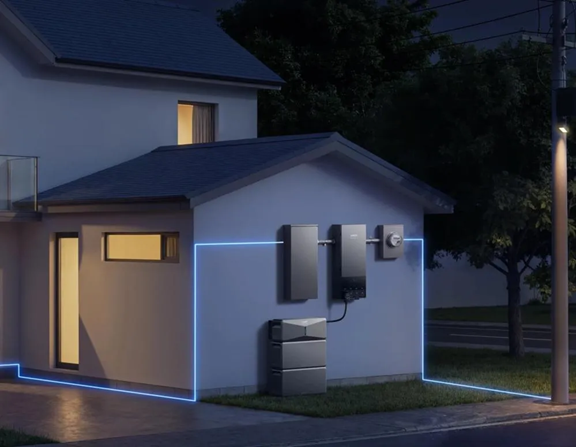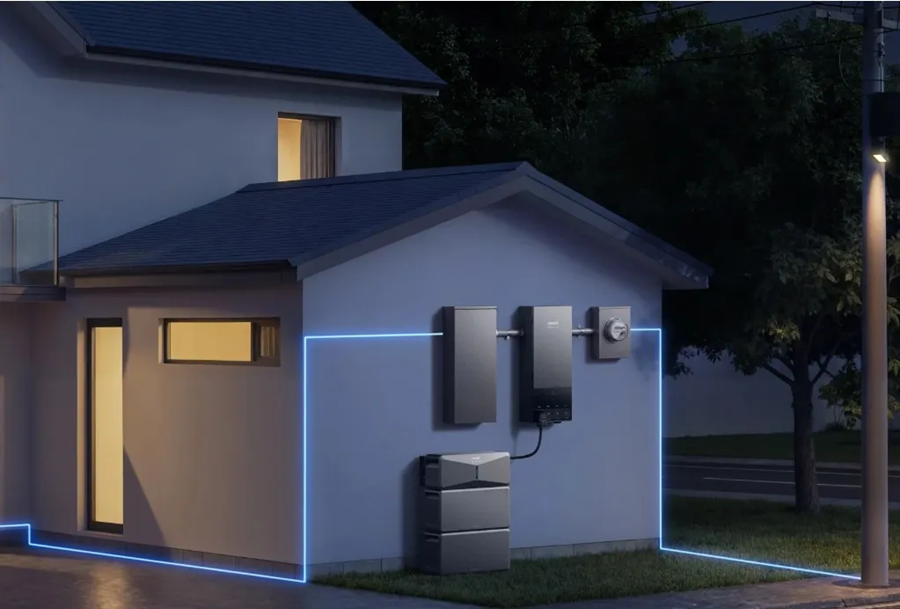
A home battery backup system can power essential circuits during severe weather, but stored energy and control equipment must work when needed. Before storm season, test battery capacity, inverter operation, electrical protection, monitoring alerts, and solar charging. Check the manufacturer’s instructions before performing any test, and use a qualified electrician for tasks involving electrical panels or protective devices. A written checklist helps identify faults, estimate realistic runtime, and prepare for outages that last longer than a few hours.
Test Battery Health and Available Backup Capacity
Check Battery Charge Levels and Usable Capacity
Check the battery’s state of charge (SoC) and confirm that it reaches the level expected under normal conditions. Then review usable capacity, which may be lower than the battery’s advertised total because reserve settings and operating limits keep some energy unavailable. Record readings before storm season and compare them with the manufacturer’s monitoring data. Investigate unexpected drops rather than assuming the battery is ready.
Review Battery Health Warnings and Temperature Readings
Open your home battery backup system’s monitoring app or display and review active alerts, event history, and temperature readings. Look for repeated faults, overheating notices, or charging restrictions, and follow the manufacturer’s instructions to resolve them. Do not open the battery enclosure or bypass protective controls. If a warning persists, contact qualified service support before severe weather makes repairs or a site visit more difficult.
Estimate Runtime for Essential Household Appliances
List the appliances that must remain powered, note each device’s wattage, and estimate how long they will run. Include inverter losses, startup surges, and battery reserve settings rather than dividing capacity by load alone. Test the estimate against real monitoring data where available. Prioritize refrigeration, medical equipment, communications, and essential lighting, then decide which noncritical circuits can be switched off to extend runtime.
Verify Backup Power During a Simulated Outage
Confirm that the battery can supply the circuits intended for backup before a storm arrives. Follow the system’s approved procedure for a simulated outage, using the designated test control or a qualified electrician; do not improvise by operating unfamiliar breakers or disconnects. Verify that backup circuits energize, essential appliances restart, and the system reports its operating mode correctly. Check that non-backed-up circuits remain off, then restore normal operation and confirm grid connection returns without unresolved alerts. Record the result and correct any failures promptly. Perform the test before severe weather arrives.
Inspect Inverters, Wiring, and Electrical Protection
Check Inverter Status, Fault Codes, and Operating Performance
Review the inverter display or app for operating status, recent fault codes, and abnormal power readings. Confirm that charging, discharging, and grid interaction follow the system’s normal sequence. Never clear a fault without understanding its cause, and do not remove covers or touch internal components. Document recurring alerts and arrange qualified service, especially if the inverter overheats, shuts down, or cannot enter backup mode reliably.
Inspect Accessible Cables and Enclosures for Visible Damage
From a safe distance, look for cracked conduit, loose-looking fittings, corrosion, water intrusion, scorch marks, damaged insulation, or a shifted enclosure. Do not touch exposed conductors, remove covers, or attempt repairs. Keep vegetation, stored items, and combustible materials clear of equipment as instructed. Photograph visible concerns if safe, then report them to the installer or electrician before testing the system again.
Verify Surge Protection and Grounding Through Qualified Inspection
Storm preparation should include checking that surge protective devices and grounding arrangements are present and maintained as specified. These protections are not always visible, and a homeowner should not test grounding by opening equipment or probing wiring. Ask a qualified electrician to inspect protective devices, bonding, grounding, and panel connections, particularly after lightning, flooding, electrical work, or repeated inverter faults. Replace components only as specified.
Test Monitoring Apps, Alerts, and Communication Systems
Confirm Low-Battery and System-Fault Notifications Work
Use the monitoring app’s test function, if available, to confirm that low-battery and system-fault alerts reach the intended phone or email account. Check notification permissions, contact details, and alert thresholds. Do not create a real fault or deliberately drain the battery just to test a message. If the system offers no safe test function, follow its manual or ask the installer to verify notifications.
Check Remote Monitoring and Internet Connectivity
Confirm that the monitoring gateway has power and a stable internet connection, then check whether the app displays current battery charge, solar production, and system status. Some systems continue supplying backup power when internet service fails, but remote visibility may be lost. Know how to read local indicators and operate approved controls without the app. Resolve connection problems before a storm limits access to support.
Review Backup Reserve Settings and Emergency Instructions
Review the backup reserve setting and make sure it leaves enough energy for likely outage needs. A higher reserve can improve readiness but may reduce the energy available for routine household use. Confirm which circuits receive backup power and keep emergency instructions, installer details, and warranty information accessible offline. Make sure household members know which loads to reduce and whom to contact if a warning appears.
Check Solar Charging and Prepare for Extended Outages
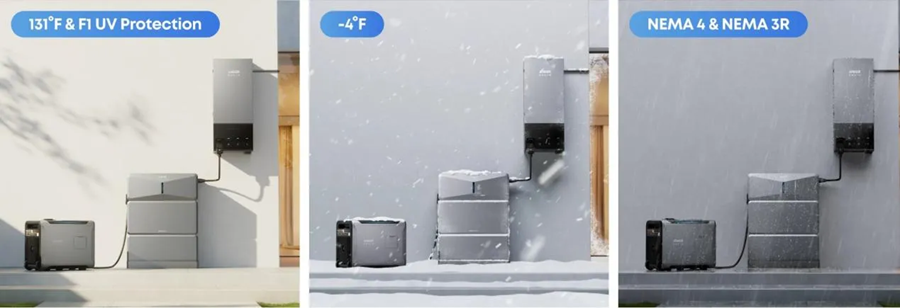
Test that your solar array charges the battery under suitable daylight conditions, and check the monitoring app for production levels, charging status, and fault messages. Inspect only what is safely visible; leave rooftop work and electrical troubleshooting to qualified professionals. If you use a whole-home system such as Anker SOLIX E10 Whole-Home Backup, review its manufacturer specifications and installation requirements to understand how it supports your backup plan. For extended outages, account for cloudy weather, conserve stored energy, and prepare a safe alternative charging option if available.
Conclusion
Run these checks before storm season, document the results, and resolve warning signs while service is readily available. Confirm usable capacity, backup circuit operation, electrical protection, alerts, and solar charging rather than assuming a charged battery guarantees reliable power. A clear load-priority plan can stretch runtime when an outage lasts longer than expected. Leave electrical inspections and repairs to qualified professionals, and repeat the checks according to the manufacturer’s guidance and after significant system changes for your specific battery model.
Read also: Popeyes Menu With Prices: Complete Guide to Chicken, Sandwiches, Sides, Combos, and Deals