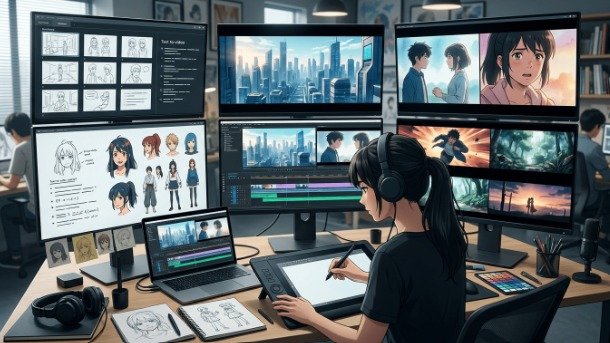
Traditional anime is made one drawing at a time. A single second of fluid animation can require a dozen or more individual frames, each drawn, cleaned, colored and composited. A studio episode takes weeks and a large team, and the people doing the in-between work are among the least well paid in the industry. That is not a criticism of the medium. It is why anime looks the way it does, and why so much of it uses limited animation holding frames, moving only what needs to move as a deliberate stylistic answer to an economic problem.
An AI Anime Video Generator approaches the same problem from the other direction, with Higgsfield helping creators generate animated sequences and explore anime-style motion more efficiently. Instead of drawing the in-between frames, it generates them.
This guide covers how that actually works, what it does well, where it breaks, and two things it should never be used for.
What is an AI Anime Video Generator?
It is a tool that produces anime-style animated video from a text description, a still image, or existing footage.
The output is a short clip with character motion, scene movement and anime visual characteristics applied cel shading, bold linework, the expressive exaggeration the style is known for. No drawing, no keyframing, no animation training required to operate it.
The category has grown quickly because anime is one of the styles an AI Anime Video Generator handles best, for reasons covered further below. Platforms range from single-purpose anime tools to broader systems where anime is one style among many. Higgsfield falls into the second group, operating as an AI creative suite where anime generation sits alongside other image and video capabilities, with multiple underlying models available and style presets built for the look.
How does it actually work?
Three stages, and understanding them makes the results far more predictable.
Keyframe generation. The model establishes the anchor frames of the motion and the poses that define what happens.
Interpolation. It then generates the frames between those anchors. This is the in-betweening that human animators traditionally do by hand, and it is the single most labor-intensive part of conventional anime production.
Style application. The AI Anime Video Generator applies anime-specific visual treatment across the sequence: flat cel shading rather than gradient lighting, defined outlines, the color handling associated with the medium.
The reason an AI Anime Video Generator can produce in seconds what takes a studio days is that it is doing the in-betweening computationally rather than manually. That is the whole efficiency, and it is why the technology arrived in animation before it arrived in live action.
Why does anime hold up better than realism?
This is the genuinely interesting part, and it is not obvious until you see it.
Testing across repeated generations consistently finds that anime-style output stabilises faster than photorealistic output. Run the same brief through both and the stylized version reaches a usable result in fewer attempts.
The reason is the uncanny valley. Photorealistic generation is judged against reality, and viewers detect tiny errors instantly: a hand with the wrong number of fingers, skin that moves incorrectly, eyes that do not track. Anime is judged against a stylistic convention, and that convention already involves simplification, exaggeration and non-realistic proportions.
In other words, the style provides cover for an AI Anime Video Generator. An anime character with slightly imprecise hand anatomy looks like anime. A photorealistic person with the same error looks broken.
That is why an AI Anime Video Generator is one of the more reliable applications of generative video available right now, and why anime clips were among the first outputs that looked genuinely finished rather than experimental.
What are the two ways in?
Two input paths, suited to different situations.
Text to video. Describe the scene and the AI Anime Video Generator produces everything: character, setting, motion, style. Best when you are starting from nothing, exploring an idea, or producing background and environment shots.
Image to video. Supply existing artwork and the AI Anime Video Generator animates it. The AI detects the character’s structure, face, body, hair and generates motion such as blinking, head turns, hair movement and subtle gestures, while preserving the original art style.
The second is more useful for most people, and the reason is control. If you already have a character design, whether drawn by hand or generated as a still, image-to-video keeps that design intact rather than inventing a new one each time. For anyone with existing artwork, a webtoon, a manga page or a character sheet, this is the path that respects the work already done.
An AI Anime Video Generator that supports both gives you the option of generating a still first, refining it until it is right, then animating it.
What is character drift?
The defining problem of the category, and the thing to plan around.
Character drift is when an AI Anime Video Generator lets a character’s appearance change over the course of a clip or between clips. Hair color shifts. Facial structure alters. Clothing details rearrange. In a single short clip it can be subtle. Across a sequence of shots it destroys the illusion entirely, because the audience is watching a character rather than a series of similar-looking characters.
Tools address it by locking onto key visual features facial structure, hair color, clothing detail and holding them constant across generated frames. Reference-based generation, where the same source image anchors every clip, is the most reliable approach available, and Higgsfield builds its consistency features around it.
The practical rules that reduce drift most:
- Use the same reference image for every clip in a sequence
- Keep individual clips short, since drift accumulates with duration
- Avoid large pose changes within a single generation
- Describe the character identically every time, word for word
- Check between shots rather than at the end
Higgsfield handles character consistency across shots as a specific feature rather than an emergent property, which matters once you are producing a sequence rather than a single clip.
What can you realistically make?
The applications where an AI Anime Video Generator performs reliably:
- Opening and title sequences – short, stylized, high impact
- Character introduction shots – a single character, a single move
- Scene transitions between other footage
- Animating existing artwork – webtoon panels, manga pages, character sheets brought into motion
- Music video segments, which suit short cut-heavy sequences
- VTuber and streaming assets intros, stingers, overlays
- Photo-to-anime restyling of real footage or images
- Social clips in vertical format for short-form platforms
The pattern is consistent: short, stylized, one or two subjects, one clear action. That is where an AI Anime Video Generator is strong.
Where does it stop working?
Being clear about this makes everything above more useful.
Long-form narrative continuity. Anything running beyond roughly a minute with a consistent protagonist across multiple scenes becomes a correction exercise. Practitioners consistently report spending more time fixing drift than they saved on generation.
Complex multi-character interaction. Two characters interacting in a specific choreographed way remains difficult.
Precise action choreography. Fight scenes, the thing anime is most celebrated for, depend on exact timing and impact framing that generation does not reliably deliver.
Consistent background worlds. A location that must look identical across many shots drifts the same way characters do, and an AI Anime Video Generator offers less control over backgrounds than over subjects.
What has changed over the past year is not the ceiling but the floor. A bad generation used to produce flickering incoherence. A bad generation now usually produces something usable in parts, with problems localised to specific moments rather than collapsing the whole clip.
How do you build a longer sequence?
Not by asking for a longer clip. That is the mistake almost everyone makes first.
The reliable method is to produce short clips most commonly in the four-to-ten-second range and assemble them in an editor.
The workflow:
Design the character first, as a still image, and settle it completely before animating anything.
Write the sequence as a shot list, not as a paragraph. One clear action per shot.
Generate each shot separately in the AI Anime Video Generator from the same reference image, using the same character description each time.
Generate several attempts per shot and keep the one with least drift.
Assemble in an editor, cutting on movement so small inconsistencies fall inside a cut rather than being held on screen.
Add sound afterwards. Anime is heavily carried by audio, and a well-scored sequence forgives visual imperfection that silence exposes.
An AI Anime Video Generator inside a broader workspace helps here, because the generating, the reference management and the assembly are not spread across three applications. Higgsfield keeps them together, which matters when a sequence runs to a dozen shots.
What should never be generated?
Two things, and the first will be tempting for anyone who watches anime.
Existing anime characters and IP. The characters from established series are owned property. Established tools restrict recognisable generation of them, and that restriction is correct. A character inspired by a genre or an era is fine. A recognisable version of a specific existing character is not, and the research literature on anime generation explicitly flags character-appearance issues as an infringement risk.
Real people restyled without consent. Photo-to-anime conversion is a genuine feature and a fun one. Applying it to somebody else’s photograph without their agreement is not.
Beyond those, ordinary judgment applies. This guide is about anime as an animation style and a production technique. Tools that drift toward character companionship or roleplay are a different category with different considerations, and they are not what is being discussed here.
Where do human animators still matter?
Worth saying properly, because the anime industry has a genuine labor situation and a lot of the audience for this technology also loves the medium.
Direction and timing. Anime’s power comes substantially from timing decisions when to hold a frame, when to cut, how long to sit on a reaction. Those are authored choices, and no generator makes them.
Action choreography. The sequences people rewatch frame by frame are the product of specific artists making specific decisions. They remain out of reach.
Character design. A design that people care about comes from a person with a point of view, not from a description.
Anything with genuine style. An individual animator’s hand is not replicable by prompting an AI Anime Video Generator, and asking a tool to imitate a named living artist is not something to do.
The honest framing is that an AI Anime Video Generator makes things possible for people who were never going to produce animation at all solo creators, webtoon artists, musicians, streamers. It does not replace a studio, and the parts of anime that people love most are still made by people.
Tips for better results
Start from an image, not a prompt, whenever you have artwork.
Keep clips short. Drift is proportional to duration.
One action per clip. Complexity is where generation fails.
Describe the style precisely. Nineties cel look, modern digital, soft watercolor, high-contrast shonen. Anime is not one style, and an AI Anime Video Generator will default to a generic one if you let it.
Reuse the same description for the character across every shot, exactly. Higgsfield lets you attach a saved reference so this happens automatically.
Generate multiple attempts. Variance between runs is normal and the third attempt is often the keeper.
Save what worked. Higgsfield stores reference setups, which is the difference between a consistent sequence and a set of near-misses.
Frequently asked questions
Do you need drawing skills to use an AI Anime Video Generator?
No. Text-to-video needs no artwork at all, and image-to-video works from any anime illustration, including a generated one.
How long can a generated clip be?
Most AI Anime Video Generator output sits in the four-to-ten-second range per generation. Longer sequences are built by assembling several clips.
Can it animate artwork you already have?
Yes, and this is its strongest use. Image-to-video preserves the original art style while adding motion.
Why do characters change appearance between clips?
That is character drift. Use the same reference image and identical character description for every shot, and keep clips short.
Can existing anime characters be generated?
No. Established tools including Higgsfield restrict recognisable copyrighted characters, and it is not appropriate regardless of tooling.
Is anime easier for AI than realistic video?
Generally yes. Stylisation is more forgiving than photorealism, so anime output tends to reach a usable result in fewer attempts.
Conclusion
Anime became the style generative video handles best for a straightforward reason: it was never trying to look real in the first place, so the errors that ruin photorealistic output largely disappear inside the convention.
An AI Anime Video Generator handles the in-betweening the frame-by-frame labor that made animation inaccessible to anyone without a studio. Higgsfield and comparable platforms have made that a few minutes of work. What it does not handle is timing, direction, choreography or design, which is most of what makes anime worth watching.
Design the character first. Keep the clips short. Use one reference image throughout. Assemble in an editor and cut on movement. And leave existing characters alone.
Used that way, it puts animation in reach of people who were never going to draw twelve frames a second, which is a genuinely good thing for a medium that has always been limited by how many hands it could afford.