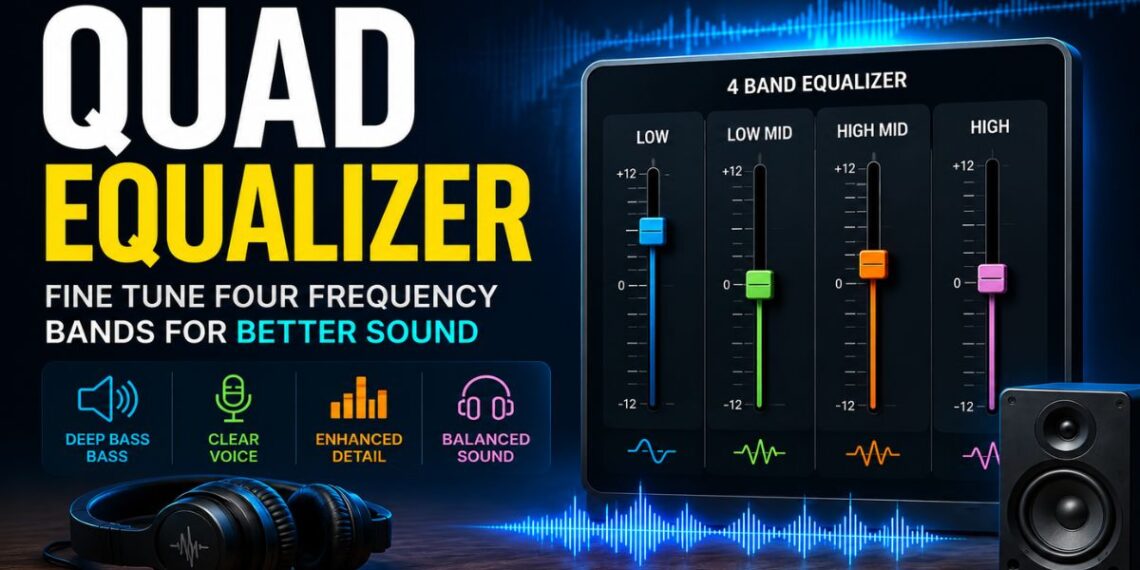
A quad equalizer is a term used for an equalization system with four sections, bands, or channels, depending on the equipment and application. In audio, it commonly refers to a 4-band equalizer that gives you control over different parts of the sound spectrum. In high-speed electronics, however, a quad equalizer can mean a device designed to compensate for signal loss across four separate data channels.
This difference is important because not every product or system using the term “quad equalizer” does the same job.
If you are adjusting music, vocals, speakers, headphones, or a mixer, you are most likely dealing with an audio equalizer. If you are working with PCB traces, cables, DisplayPort, PCIe, or other high-speed data links, the term may refer to signal-conditioning hardware instead.
This guide focuses mainly on the common audio meaning of quad equalizer while also explaining the technical electronics meaning so you can understand the term correctly in different contexts.
Quick Answer: What Is a Quad Equalizer?
In simple terms, a quad equalizer usually allows you to control four separate parts of an audio signal.
These four areas are often described as:
- Low frequencies
- Low-mid frequencies
- High-mid frequencies
- High frequencies
By increasing or decreasing these frequency areas, you can change how the audio sounds. For example, you may reduce excessive bass, make vocals clearer, add warmth, or soften harsh treble.
A quad equalizer does not automatically make every sound better. Its main purpose is to help you correct or shape the sound according to your speakers, headphones, room, recording, or personal preference.
Quad Equalizer at a Glance
| Feature | What It Means |
|---|---|
| Quad | Usually refers to four bands or four channels |
| Main purpose | Adjust or compensate for selected frequency ranges |
| Audio use | Music, vocals, gaming, podcasts, speakers and mixers |
| Common audio bands | Low, low-mid, high-mid and high |
| Basic controls | Frequency, gain and sometimes Q |
| Best approach | Start flat and make small adjustments |
| Important warning | Large boosts can cause harshness, distortion or clipping |
What Does “Quad” Mean in a Quad Equalizer?
The word quad simply means four, but what those four sections represent depends on the context.
1. Four-Band Audio Equalizer
This is the meaning most people are looking for when searching for a quad equalizer.
A four-band EQ divides sound into four broad frequency regions. You can adjust each region independently to shape the overall tonal balance.
For example, a typical setup may give you control over:
- Bass and low-end weight
- Warmth and low-mid body
- Presence and vocal clarity
- Brightness and high-frequency detail
The exact frequencies vary between devices. One equalizer may use fixed bands, while another may allow you to choose the center frequency of each band.
2. Four-Channel Equalizer
In some professional audio systems, quad can refer to four separate signal channels rather than four frequency bands.
For example, one device might process four independent audio signals. Each channel could have its own EQ controls.
This is useful in more complex audio systems where separate microphones, speakers, monitor feeds, or other audio sources need individual adjustment.
3. Quadraphonic Equalizer
The term may also appear in connection with older or specialized four-channel audio systems, sometimes called quadraphonic sound.
In this case, quad refers to the number of audio channels or speakers rather than simply four EQ bands.
4. Quad Equalizer in High-Speed Electronics
There is also a completely different technical meaning.
In high-speed electronic systems, a quad equalizer can be a four-channel signal-conditioning device. It helps compensate for frequency-dependent losses that occur when digital signals travel through cables, PCB traces, connectors, or backplanes.
So before choosing settings or equipment, always check the context.
How a Quad Equalizer Works
An equalizer works by changing the level of selected frequencies.
It does not simply make the entire sound louder or quieter. Instead, it lets you target specific parts of the frequency spectrum.
Imagine listening to a song with too much booming bass and hidden vocals. Increasing the overall volume would not solve the problem. It would only make the boom louder too.
With an equalizer, you can make more targeted changes.
You might:
- Reduce excessive low frequencies
- Slightly reduce muddy low-mids
- Add a little presence to improve vocals
- Adjust the high frequencies if the sound feels dull or harsh
The goal is not to create the most dramatic EQ curve. The goal is to make the sound more balanced for the situation.
In many cases, very small adjustments can produce better results than extreme boosts.
The Four Main Audio Bands Explained
The names and exact frequency ranges differ from one product to another. Still, a four-band layout generally follows the same broad idea.
Low Frequencies: Bass, Weight and Rumble
The low band affects the sense of bass, power, depth and weight.
This area can influence:
- Kick drums
- Bass guitars
- Deep electronic sounds
- Low-end impact
- Rumble and boom
A small boost may make thin-sounding speakers feel fuller.
However, too much low-frequency boosting can create problems. Music may become muddy, vocals can disappear behind the bass, and small speakers may distort when asked to reproduce frequencies they cannot handle well.
If your sound already feels boomy, cutting some bass may be more effective than boosting other bands.
Low-Mid Frequencies: Warmth, Body and Mud
The low-mid area has a major effect on the body and warmth of sound.
It can help instruments and voices feel full, but too much energy here can create:
- Muddiness
- Boxiness
- Congestion
- A thick or cloudy sound
This is one of the most useful areas to check when several instruments or voices seem to blend together.
For example, if a recording sounds full but unclear, the problem may not be a lack of treble. Excessive low-mid energy could be masking important details.
A gentle cut can sometimes make a mix sound clearer without requiring any major boost elsewhere.
High-Mid Frequencies: Presence and Clarity
High-mid frequencies strongly affect how clearly we hear detail, attack and presence.
This region can influence:
- Vocal intelligibility
- Speech clarity
- Guitar attack
- Snare drum definition
- Gaming sound cues
- The perceived detail of instruments
A small increase may help a voice stand out.
However, this area needs careful adjustment. Too much boosting can make audio sound aggressive, nasal or tiring.
If a recording already sounds sharp, adding more high-mid energy can make the problem worse.
High Frequencies: Brightness and Detail
The high band affects brightness, sparkle and fine detail.
It can influence:
- Cymbals
- Vocal brightness
- Air and openness
- High-frequency detail
- Hiss and sibilance
A slight boost may help dull headphones or speakers sound more open.
Too much high-frequency energy, however, can make audio feel harsh. Strong boosts may exaggerate “S” and “T” sounds in speech and vocals or make cymbals unpleasant to listen to.
The best setting depends on the playback device and the source material.
Quad Equalizer vs Bass and Treble Controls
Basic sound systems often provide only two controls:
- Bass
- Treble
A quad equalizer gives you more flexibility because it separates the middle of the sound spectrum into additional sections.
This matters because many audio problems occur in the midrange.
For example, a voice can sound unclear even when bass and treble are correctly balanced. With only two controls, you may struggle to fix that problem without changing too much of the sound.
A four-band EQ gives you a better middle ground.
It is generally easier to use than a complex equalizer with dozens of controls while offering more precision than basic bass and treble adjustments.
What Is the Difference Between a Quad Equalizer and a Graphic Equalizer?
These terms are not automatically interchangeable.
A quad equalizer describes a system with four bands or, in some cases, four channels.
A graphic equalizer usually has multiple fixed frequency bands represented by sliders or controls.
For example, a graphic EQ might have:
- 10 bands
- 15 bands
- 31 bands
Each band controls a predefined frequency region.
A four-band EQ may also have fixed frequencies, but some models are more flexible and allow you to adjust additional parameters.
The number of bands alone does not tell you everything. You should also check whether the EQ allows control over frequency, gain and bandwidth.
Quad Equalizer vs Parametric Equalizer
A parametric equalizer provides more detailed control.
Depending on the design, each band may include:
Frequency
This determines the area of the sound spectrum you want to adjust.
Gain
Gain determines how much you boost or cut the selected frequency area.
Q or Bandwidth
Q controls how wide or narrow the adjustment is.
A wider adjustment affects a larger area of frequencies. A narrower adjustment targets a smaller area.
Some four-band equalizers are fully parametric, while others use fixed or semi-adjustable bands.
This means two devices described as a quad equalizer may offer very different levels of control.
When Is a Quad Equalizer Useful?
A quad equalizer can be useful in many situations, but the correct settings depend on the purpose.
Music Listening
Music is one of the most common uses.
Different headphones and speakers can have very different sound characteristics.
One pair of headphones may sound:
- Too bass-heavy
- Too bright
- Thin in the midrange
- Harsh at higher volumes
A quad equalizer can help compensate for some of these characteristics.
The best approach is to use familiar music and identify one clear problem at a time.
Avoid making changes simply because a particular EQ curve looks impressive.
Your ears should guide the final adjustment.
Podcasts and Spoken Audio
Speech often benefits from a balanced midrange.
If there is too much low-frequency energy, voices can sound boomy. If important midrange detail is missing, speech may become difficult to understand.
For spoken audio, a useful starting point may involve:
- Reducing unnecessary low-end energy
- Keeping low-mids under control
- Adding a small amount of presence if needed
- Avoiding excessive treble
There is no single universal voice setting because microphones, speakers and voices are all different.
Gaming
A quad equalizer can also be useful for gaming.
Some players prefer strong bass for explosions and cinematic effects. Others want clearer detail so footsteps, movement and environmental sounds are easier to hear.
For a more detail-focused setup, excessive bass may need to be controlled because strong low frequencies can mask quieter sounds.
A moderate adjustment to the midrange or upper-midrange may improve perceived detail, but aggressive boosting can make the sound fatiguing.
Remember that EQ cannot create positional audio by itself. Spatial accuracy also depends on the game, headset, audio engine and spatial processing.
Car Audio
Car interiors can dramatically affect how sound is perceived.
Bass may become boomy because of the cabin, while some frequencies may sound stronger or weaker depending on speaker placement and reflections.
Instead of immediately increasing the bass control, listen for the specific problem.
If one area is booming, reducing that area may create a cleaner and more powerful result than adding even more bass.
Home Speakers
Speaker placement can affect sound as much as EQ settings.
Speakers placed close to walls or corners may produce stronger bass. Room reflections can also influence clarity.
A quad equalizer can help make corrections, but it should not be used as a replacement for proper speaker placement.
If moving the speakers improves the sound significantly, that may be a better solution than extreme EQ adjustments.
How to Set a Quad Equalizer Correctly
There is no single “best quad equalizer setting” for everyone.
The right settings depend on:
- Your headphones or speakers
- The recording
- Your room
- Listening volume
- Personal preference
- The exact frequency points used by your EQ
Still, the following method works well as a starting point.
Step 1: Start With Everything Flat
Set every EQ band to 0 dB or its neutral position.
This gives you a reliable starting point.
If you begin with a random preset, it can be difficult to know whether a change actually improves the sound.
Step 2: Listen for One Specific Problem
Ask yourself what is wrong with the sound.
For example:
- Is the bass too heavy?
- Are vocals buried?
- Does the sound feel muddy?
- Is speech difficult to understand?
- Are high frequencies harsh?
- Does the audio sound dull?
Try to identify one main issue first.
Step 3: Make a Small Adjustment
Avoid extreme changes.
A small adjustment is easier to evaluate and less likely to damage the overall balance.
If the change helps, you can refine it further.
If it does not help, return toward the flat setting and test another area.
Step 4: Compare With EQ Bypassed
If your device has a bypass option, use it.
Compare the adjusted sound with the original at approximately the same volume.
This is important because louder audio can sometimes seem better even when the actual tonal balance has not improved.
Step 5: Stop When the Sound Is Balanced
Do not continue adjusting simply because more controls are available.
If the audio sounds natural and the original problem is solved, stop.
A nearly flat EQ curve can be a perfectly good result.
Practical Quad Equalizer Starting Settings
These examples are conservative starting points rather than universal rules.
| Use Case | Low | Low-Mid | High-Mid | High |
|---|---|---|---|---|
| Clear dialogue | -2 dB | -1 dB | +2 dB | +1 dB |
| Competitive gaming | -2 dB | -1 dB | +2 dB | +1 dB |
| Warm music | +1 dB | +1 dB | 0 dB | +1 dB |
| Boomy speakers | -1 dB | -2 dB | +1 dB | 0 dB |
| Bright headphones | 0 dB | +1 dB | -1 dB | -2 dB |
These settings should only be treated as a starting point.
The actual frequency assigned to each control can vary between equalizers. A “high-mid” knob on one device may affect a different range than the same label on another device.
Always listen and adjust according to your specific equipment.
Should You Boost or Cut Frequencies?
In many cases, cutting an unwanted frequency is a good first option.
For example, if the sound feels muddy, reducing the problematic area may improve clarity without making the overall signal louder.
Boosting can still be useful.
You may boost a frequency when:
- A vocal needs more presence
- The sound lacks warmth
- A recording feels dull
- An instrument needs more definition
The key is moderation.
Large boosts can reduce available headroom and may contribute to clipping or distortion.
If you increase several EQ bands, the total output level can become too high. Where available, reducing the preamp or output gain can help preserve headroom.
Common Quad Equalizer Mistakes
Using Extreme Settings
A dramatic curve is not automatically better.
Extreme boosts and cuts can make audio unnatural and may introduce new problems.
Boosting Bass on Small Speakers
Small speakers have physical limits.
Increasing deep bass does not guarantee deeper sound. It may simply create distortion or overload the speaker.
Using One Preset for Every Device
A setting designed for one pair of headphones may sound completely different on another pair.
The same applies to:
- Earbuds
- Desktop speakers
- Car speakers
- Soundbars
- Studio monitors
Create separate profiles when possible.
Adjusting Without Knowing the Problem
Randomly moving every control usually makes it harder to understand what each band is doing.
Change one thing at a time.
Judging at Different Volumes
When comparing two settings, try to keep the listening volume similar.
A louder version can appear more impressive even when it is not actually more balanced.
Stacking Multiple Equalizers
Some devices can apply EQ in several places.
For example, you may have equalization active in:
- Your phone
- A music app
- Your operating system
- A headphone app
- A Bluetooth speaker
These settings can combine in unexpected ways.
Check whether more than one EQ is active before making major adjustments.
Can a Quad Equalizer Improve Voice Clarity?
Yes, but the exact adjustment depends on the voice and equipment.
Voice clarity can be affected by excessive low frequencies, muddy low-mids or insufficient presence.
A small reduction in unwanted low energy combined with a careful increase in the appropriate presence area may improve intelligibility.
However, too much upper-mid or high-frequency boosting can make speech sound sharp or overly sibilant.
EQ is only one part of the solution.
Microphone quality, microphone placement, room reflections and background noise can also have a major effect.
Can a Quad Equalizer Reduce Feedback?
It can help in some live audio situations.
Feedback occurs when sound from a speaker reaches a microphone and is repeatedly amplified through the system.
An equalizer may help reduce a problematic frequency, but it cannot solve every cause of feedback.
You should also consider:
- Microphone position
- Speaker position
- Stage volume
- Microphone direction
- Distance between microphones and speakers
Proper system setup is often more important than applying aggressive EQ.
What a Quad Equalizer Cannot Do
A quad equalizer is useful, but it has limits.
It cannot:
- Repair a damaged speaker
- Create true sub-bass from hardware that cannot reproduce it
- Restore detail removed from a poor recording
- Remove every type of background noise
- Automatically create accurate surround sound
- Fix poor speaker placement completely
- Replace proper microphone technique
- Turn a low-quality audio source into a professional recording
EQ works best when used as one part of an overall audio setup.
Quad Equalizer in High-Speed Electronics
Outside the audio world, the meaning changes significantly.
A high-speed quad equalizer typically contains four signal-conditioning channels.
As digital signals travel through PCB traces, cables and connectors, they can experience frequency-dependent loss. Higher-frequency components may weaken more than lower-frequency components.
At high data rates, this can degrade the signal.
The quad equalizer applies compensation across four signal paths to help improve signal integrity.
Depending on the specific device, this type of component may be used in systems involving high-speed serial connections and multi-lane interfaces.
This is not the same as an audio EQ.
An audio equalizer changes the tonal balance of sound. A high-speed signal equalizer compensates for losses affecting electrical data signals.
Always check the product documentation before assuming which meaning applies.
How to Choose a Quad Equalizer
If you are choosing an audio equalizer, look beyond the word “quad.”
Consider the following features.
Adjustable Frequency
Can you choose the frequency you want to adjust, or are the bands fixed?
Adjustable frequency points provide more flexibility.
Gain Control
Look for precise control over how much each band can be boosted or cut.
Very large adjustment ranges are not always necessary for everyday use.
Q or Bandwidth Control
If you need more precise adjustments, Q control can be valuable.
It allows you to make broader or narrower changes.
Output or Preamp Control
This can help manage headroom after EQ boosts.
It is especially useful when multiple bands are increased.
Bypass Function
A bypass button makes it easier to compare the adjusted signal with the original.
This is one of the simplest ways to check whether your changes are genuinely improving the sound.
Presets
Presets can be useful, but they should be starting points rather than guaranteed solutions.
The best EQ profile for one person or device may not work for another.
Frequently Asked Questions
What is a quad equalizer used for?
A quad equalizer is used to adjust four frequency bands or, depending on the equipment, process four separate signal channels. In audio, it can help control bass, reduce muddiness, improve vocal clarity and adjust brightness.
Is a quad equalizer the same as a 4-band EQ?
Often, yes. In many audio contexts, a quad equalizer refers to a four-band equalizer. However, the term can also refer to four-channel audio systems or four-channel signal equalizers used in high-speed electronics.
What are the four bands of a quad equalizer?
They are commonly described as low, low-mid, high-mid and high frequencies. Exact frequency ranges vary between products.
What is the best quad equalizer setting?
There is no universal best setting. Start with all bands flat, identify one sound problem and make small adjustments. The ideal settings depend on your speakers, headphones, recording and listening environment.
Should I boost or cut first?
If there is an obvious unwanted frequency, cutting it can be a good starting point. Small boosts are also useful when the sound needs more warmth, clarity or brightness.
Can a quad equalizer make vocals clearer?
Yes. Controlling excessive low or low-mid energy and carefully adjusting the presence range can improve clarity. Over-boosting higher frequencies, however, can make vocals harsh.
Can EQ settings damage speakers?
Extreme boosts combined with high volume can increase the risk of distortion, clipping or excessive stress on audio equipment. Use moderate adjustments and avoid pushing speakers beyond their intended limits.
Does a quad equalizer improve gaming audio?
It can help shape the sound according to your preference. Controlling excessive bass and carefully improving detail may make some game sounds easier to hear, but EQ alone does not create true positional audio.
Can I use the same EQ settings on all headphones?
It is not recommended. Different headphones and speakers have different frequency responses, so one preset can sound very different across devices.
Final Thoughts
A quad equalizer is best understood by first identifying what the word “quad” means in your specific situation.
For most audio users, it refers to a four-band EQ that provides practical control over low frequencies, low-mids, high-mids and high frequencies. It offers enough flexibility to correct common sound problems without being as complicated as a large multi-band equalizer.
The best way to use it is simple:
- Start with a flat EQ.
- Listen for one specific problem.
- Make a small adjustment.
- Compare it with the original sound.
- Keep only the changes that genuinely improve the result.
Do not chase an extreme-looking EQ curve or copy settings blindly from another device. A good quad equalizer setting is the one that works with your particular headphones, speakers, room and listening needs.
In high-speed electronics, remember that the term has a different meaning entirely. There, a quad equalizer is generally associated with compensating signal loss across four data channels rather than adjusting the sound of music.
Understanding the context first will help you use the right definition, choose the right equipment and get better results from your system.
Read also: Domikyo.com: A Complete Guide to Smart Home Technology, Digital Connectivity, IoT, and Modern Living




2 Comments on “Quad Equalizer: What It Is, How It Works, and How to Use It”