If you have just been accepted into a nursing program, a respiratory therapy course, or any other healthcare training program in the United States, there is a good chance you will hear the name Complio within your first week. It usually arrives in an email from your department, along with a deadline and a link, and it often comes with very little explanation. Students open the message, see a list of vaccines, background checks, and forms, and wonder what exactly they are being asked to sign up for, how much it will cost, and what happens if they get something wrong.
Complio is an online compliance tracking system. It was built by a company called American DataBank and is now presented as DISA Complio, part of DISA Healthcare. Schools use it to collect, check, and keep track of the records students need before they are allowed into hospitals and clinics for hands-on training. Those records include proof of immunizations, tuberculosis screening results, CPR certification, criminal background checks, drug screening results, and signed training forms. Instead of collecting all of that by email or on paper, the school puts it in one system where both the student and the program staff can see what is complete, what is missing, and what is about to expire.
What Is Complio?
Complio is a web-based system that tracks whether a student meets the health and safety requirements for clinical training. A hospital will not let a student walk onto a ward without proof that the student is vaccinated, screened, and cleared according to the hospital’s rules. The school is responsible for making sure that proof exists before the placement starts. Complio is the tool many schools use to manage that job.
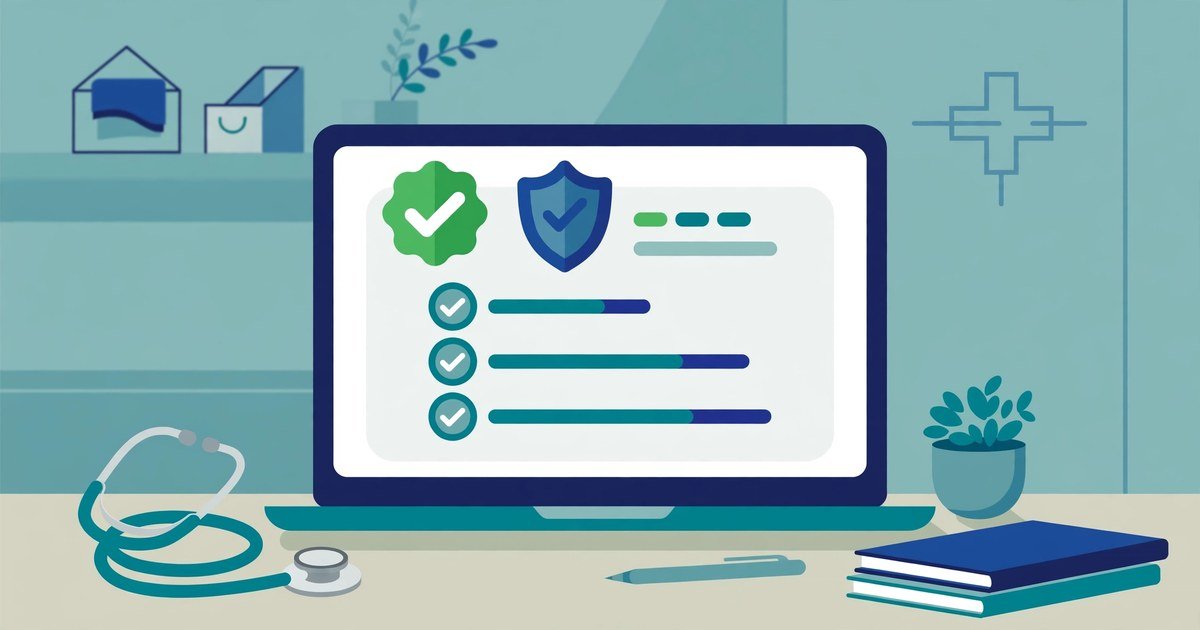
Think of it as a checklist with evidence attached. Each requirement on your list has a status, and the status only changes to complete when the evidence you uploaded has been reviewed and accepted. Uploading a file is not the same as being compliant. A reviewer checks the document against your program’s rules, and if the document is blurry, incomplete, out of date, or attached to the wrong requirement, it gets rejected and you have to fix it.
The platform is organized around packages and requirements. Your school chooses a package for your program, and that package contains the list of requirements you must satisfy. One school’s nursing program might require a full set of immunizations, a background check, a drug screen, and three training certificates. A different school’s program might require a shorter list. That is why advice from a student at another college can be misleading. Your list is your list, and it is set by your program and the clinical sites where you will train.
Who Uses Complio and Why Schools Require It
Students and Applicants
Students are the main users. You create the account, pay for the package your program requires, upload your documents, enter dates from those documents, order screening services where required, and check your status until every item is accepted. You also renew items when they expire and respond to rejection notices by uploading corrected evidence. The dashboard is your view of where you stand, and checking it regularly is one of the most useful habits you can build.
Most students first meet Complio when they are starting a new course of study. If you are starting a new course in higher education, the compliance step can feel like an extra hurdle on top of enrollment, orientation, and class registration. It is worth treating it as part of enrollment rather than an afterthought, because a missed compliance deadline can delay your first clinical placement even if your classes are going fine.
Schools, Faculty, and Clinical Sites
Program coordinators and faculty use Complio to see which students are ready for placement and which are not. They can see the status of a whole class at a glance, follow up with students who have missing items, and produce reports for the hospitals that host their students. They do not usually review the documents themselves. That review is done by American DataBank staff working to the rules the school set, and the school’s staff monitor the results.
How Complio Works: From Account Creation to Clinical Placement
Step 1: Get Your School’s Link and Instructions
Before you create an account, get the exact instructions from your department. Many schools have their own Complio web address, such as a school-specific portal ending in complio.com, and they publish a guide that names the correct package for your program. Some colleges warn students explicitly not to create accounts before the program instructs them, because buying the wrong package wastes money and creates a duplicate record that has to be sorted out later.
Step 2: Create Your Account and Order the Right Package
Using your school’s link, create an account with your legal name, date of birth, and an email address you check regularly. Complio communicates mainly by email, and that includes your login details, your requirement list, rejection notices, and expiry reminders. If you use an email address you rarely open, you will miss the messages that matter most.
An important point that surprises many students is that creating an account is not the same as buying a subscription. The account is free to create, but you cannot enter information or upload documents until you have ordered a tracking package. When you order, select your school, your applicant type, and your program, then choose the tracking package and any screening package your program requires. Read the order summary before you pay, including the length of the subscription, any transaction fee, and any taxes. Some tracking packages last twelve months, so if your program runs longer, you will need to renew.
Step 3: Upload Documents and Enter Dates
Once your package is active, your requirement list appears on your dashboard. For each requirement, you upload the supporting document and enter the dates the form asks for. The dates matter more than most students expect. For a vaccine, the form usually wants the date the vaccine was given, not the date you uploaded the file. For a signed form, it usually wants the date it was signed. Entering today’s date because that is when you uploaded the record is one of the most common reasons for rejection.
Make sure your scans and photos are readable before you upload them. The document should show your full name, the relevant dates, the provider or clinic name, and any required signatures or results. A cropped photo that cuts off the date, a blurry image, or a file that only shows the first page of a two-page record will usually be sent back. If a requirement needs more than one dose or more than one page, upload all of it under the same requirement so the reviewer can see the complete evidence.
Step 4: Wait for Review and Fix Rejections
After you upload a document, it goes into a review queue. Published student guides from several colleges say to allow one to three business days for document review. That means an upload on Friday evening may not be reviewed until the following week, and uploads are generally not reviewed after hours or on weekends. Build that waiting time into your plans, and do not leave uploads until the day before a deadline.
If a document is rejected, read the rejection reason before you do anything else. The reason tells you exactly what failed, whether it was a missing signature, a wrong date, an expired record, or a course that does not match your school’s policy. Uploading the same file again without fixing the problem will only produce the same rejection. Get the corrected evidence from the original source, such as your doctor’s office or your training provider, and upload that instead.
The Documents Complio Tracks
Immunizations and Titers
Most programs require proof of immunity to measles, mumps, and rubella (MMR), varicella (chickenpox), hepatitis B, and tetanus, diphtheria, and pertussis (Tdap). A seasonal influenza vaccine is also commonly required, usually with a deadline in the autumn. Some programs ask for proof of vaccination, while others accept a blood test, called a titer, that shows immunity. If your vaccine records are old or incomplete, your doctor can order a titer to check whether you are still immune, and you may need a booster if the result shows you are not.
TB Screening
Tuberculosis screening is a standard requirement for anyone training in a healthcare setting. The exact test your program accepts depends on its policy. Some accept a skin test, some accept a blood test, and some require a chest X-ray or a symptom review if you have had a positive result in the past. The key point is to take the test your program specifies, within the time window it specifies. A test that is the wrong type or too old will be rejected even if the result itself is negative.
CPR and BLS Certification
Most clinical programs require a current CPR or Basic Life Support (BLS) certification from a training provider your school recognizes. The American Heart Association BLS course is the most commonly accepted one, but some programs accept other providers, so check before you book a course. Make sure the certificate you upload shows your name, the course name, the issue date, and the expiry date, and check that the course level matches your program’s rule. A community first aid course is not the same as a healthcare provider BLS course, and uploading the wrong one will cost you a review cycle.
Background Checks
Many programs require a criminal background check before a student can enter a clinical setting. In Complio, this is usually ordered through the platform as part of your package, rather than uploaded as a document you obtained elsewhere. You enter your details, pay for the check, and the results travel through the provider’s workflow to your record. Background screening is a normal part of working in healthcare, and it is worth reading the order summary carefully, since extra fees can apply if you have lived at several addresses or used previous names, and some checks involve third-party court fees.
Drug Screening
Drug screening is also commonly ordered through Complio. After you place the order, you receive registration instructions and choose a collection site near you, usually based on your zip code. You then complete the test within the window your program allows. Results are reported through the screening provider’s system rather than uploaded as a photo of a receipt, so follow the instructions in the registration email exactly and do not miss the collection deadline. A missed window often means paying for a new test. Screening is laboratory work, and if you want a sense of how lab testing is listed and priced, our Labcorp test menu guide breaks down common lab tests and their costs.
How Much Does Complio Cost in 2026?
One of the first questions students ask is whether Complio is free, and for most students the honest answer is no. The tracking subscription and the screening services are usually paid for by the student, and the total depends on your school, your program, and the package you order. There is no single price that applies to everyone, so any article that quotes one flat figure for all students is misleading you.
To give a concrete sense of how pricing works, consider one college’s published guidance from September 2026. Austin Community College listed its components separately: a documentation review option for MMR, varicella, hepatitis B, and Tdap at 10 dollars, health data tracking durations priced at 18, 25, or 32 dollars depending on length, a drug test at 35 dollars, and background check examples at 45.20 or 58.80 dollars. The college also listed a 2.99 dollar card transaction fee and noted that taxes may apply. Those figures are one school’s published example, not universal Complio rates, and they can change, but they show the pattern clearly. You pay for tracking, you pay separately for screening services, and small fees add up.
Before you pay, ask yourself three questions. First, does this order cover every service your program requires, or will you need to buy an additional screening package later? Second, how long does the tracking subscription last, and will it cover your whole program or expire halfway through? Third, could extra charges apply because of previous addresses, previous names, or third-party court fees on a background check? If you cannot answer those questions from the order page, ask your program coordinator before you submit payment.
It is also important to know that screening orders generally cannot be canceled or refunded once they are placed. DISA’s published guidance says submitted screening orders are not cancelable or refundable, which is another reason to confirm the package, the program name, and your personal details before you pay. If you think you ordered the wrong package, contact Complio support and your program office right away rather than ordering a second package and hoping the first one sorts itself out.
Complio Login: How to Sign In and What to Do When It Fails
Logging in to Complio should be simple, but it causes more support calls than almost any other part of the system, usually because students use the wrong web address. Many schools have their own Complio portal, and the general login page is not always the right starting point. Always use the link your school gave you, and bookmark it once you know it works. Student platforms often have their own sign-in pages, and if you use other systems for your studies, our Colegia login guide shows how a similar student platform sign-in works, which may help you get comfortable with the general pattern of school portal logins.
For login trouble you cannot solve yourself, the official support route is the DISA Complio help desk at 1-800-200-0853, or by email at complio@disahealthcare.com. Have your full name, your school, your program, and the email address on the account ready when you call, since that is what support will ask for first. Your school’s academic department can help with questions about requirements and deadlines, but it usually cannot reset your password or fix a problem inside your Complio account, so go to support for account issues and to your program office for policy questions.
How Long Does Complio Take to Approve Documents?
Document review is the part of Complio that tests students’ patience. The honest answer is that it depends on your institution, the volume of uploads, and whether your document is complete. Published guides from several colleges advise allowing one to three business days for a document to be reviewed after upload. Some items are approved faster, and some take the full three days, especially at the start of a term when hundreds of students are uploading at once.
Background checks and drug screens take longer than document reviews, because they involve outside laboratories and screening providers. A background check can take several days, and a drug screen depends on how quickly you complete the collection and how quickly the laboratory reports the result. Order these early, and do not assume that paying for a screening package means you are cleared the same day.
Complio and Your Clinical Placement
The Clinical Passport
Many schools use Complio’s printable compliance report, often called a clinical passport, as proof that a student is ready for placement. This is a summary document that shows your requirements and their status, and you can usually generate it from the Report section of your account. Some programs ask students to print it and bring it to their first day, while others share it directly with the clinical site. Ask your program how the passport is used at your school, and generate a fresh copy close to your placement date, since a printout from two months ago may no longer reflect your current status.
Complio and ACEMAPP
Some schools use a second system called ACEMAPP to manage clinical rotations, and the two systems can be linked so that your compliance status shows up in ACEMAPP. Linking the accounts usually requires the email address to match in both systems, and the data can take up to a day to transfer, so do not expect a document approved in Complio to appear in ACEMAPP instantly.
Common Complio Problems and How to Fix Them
My Upload Still Says Incomplete
First, check whether the document is attached to the correct requirement and whether all the pages are included. Then check whether you entered the date the form asked for, and whether the document shows your name and the provider’s details clearly. If all of that looks right, the item may simply still be in the review queue, so allow the full one to three business days before you worry. If it stays incomplete longer than that, contact support with the requirement name, the date you uploaded, and the current status shown on your dashboard.
My Genuine Record Was Rejected
A genuine document can still fail if it does not match your program’s rules. Common reasons include a missing signature, a training course that is not on the school’s accepted list, a record that falls outside the allowed validity window, or a document that is too blurry to read. The rejection notice should name the reason. Ask the reviewer or your program office which exact rule the document failed, then get corrected evidence from the original source. A doctor’s office can usually reissue a vaccine record, and a training provider can reissue a certificate, but both take time, so start the request as soon as you see the rejection.
Complio, Privacy, and Your Personal Records
Complio holds sensitive information about you, including health records, screening results, and personal details such as your date of birth and address history. That deserves the same care you would give an online banking login, and a few simple habits will protect you.
Use a strong password that you do not use anywhere else, and do not share your login details with classmates, even if they offer to help you upload documents. Keep control of the email account you registered with, since password resets and status notices go there. Send documents only through the school’s authorized workflow, never through a public file sharing link or a social media message, and do not post screenshots of your dashboard or your screening results online, even when you are frustrated by a delay. Those screenshots contain personal details that can be misused, and they can also reveal information about your health history that you would not want shared.
It is also worth asking your program office who can see your information and how it is shared. Ask which staff members have access, whether compliance status is shared with clinical sites, and what happens to your account and your records after you graduate. The answers depend on your school’s setup and the policies that apply to it, and they are not the same everywhere. A school should be able to tell you this plainly, and if it cannot, keep asking until someone does.
How to Stay Compliant for Your Whole Program
Getting compliant once is only the beginning. Staying compliant for a two-year program takes a routine, and the students who have the least trouble are the ones who treat it as a small weekly habit rather than a crisis to deal with once a term.
Start by keeping a simple tracker of your own, outside Complio. For each requirement, note three dates: the date on the underlying document, the date it expires or needs renewal, and your school’s deadline for having it accepted. Then build a weekly routine around it. Once a week, log in to Complio, scan the incomplete and expiring items, and check whether any rejected document needs a replacement. Compare what the dashboard says with your own tracker and with any recent notices from your program, since requirements can change and a notice you missed can leave you working from an old list. If your school requires a printable clinical passport, check how to generate the current version before your first placement, so you are not learning the process on the morning you need it.
Plan renewals early. A flu vaccine, a TB screening, and a CPR renewal all take appointments, and appointments take time to book. When you see an expiry date two months away, book the appointment then, not the week it expires. Keep the receipts and the new documents in your own folder as soon as you receive them, and upload them the same day so the review clock starts early.
Frequently Asked Questions
What is Complio used for in nursing school?
Nursing programs use Complio to collect and verify the clinical compliance records students need before they can train in hospitals and clinics. That usually includes immunizations, tuberculosis screening, CPR certification, a background check, a drug screen, and signed training forms. The system tracks each item, checks it against the program’s rules, and shows the school who is ready for placement.
How long does Complio take to approve documents?
Published student guides from several colleges advise allowing one to three business days for a document to be reviewed after upload. Background checks and drug screens take longer because they involve outside laboratories and screening providers. Upload at least a week before your deadline so a rejection still leaves time to fix the problem and wait for a second review.
Can I use the same Complio account for another program?
Possibly, but it depends on your school’s setup. If you change programs within the same school, your requirement list may change and you may need a different package. Ask your program office before creating a second account or paying for a new package, since duplicate accounts cause confusion and screening orders are generally not refundable.
Does Complio give vaccines or run drug tests itself?
No. Complio does not provide vaccinations, medical tests, or treatment. It records and verifies the evidence you provide. You get your vaccines from your doctor or clinic, take your TB test with an approved provider, and complete a drug screen at a collection site after ordering it through the platform. Complio’s job is to hold the proof and confirm that it meets your program’s rules.
Final Words
Complio is not the most exciting part of starting a healthcare program, and nobody enrolls in nursing school because they love uploading vaccine records. But it is the gate between the classroom and the clinic, and treating it seriously from the first week will save you stress later. The students who struggle with Complio are rarely the ones who cannot meet the requirements. They are the ones who ordered the wrong package, uploaded documents at the last minute, entered the wrong dates, or never checked their dashboard until a placement was already at risk.
The formula for a smooth experience is simple, even if the paperwork is not. Get your school’s exact instructions before you create an account. Order the right package and read the order summary before you pay. Gather your records early, upload readable documents matched to the correct requirements, and enter the dates shown on the documents themselves. Allow one to three business days for review, fix rejections by getting corrected evidence, and check your dashboard every week so nothing expires without you noticing.