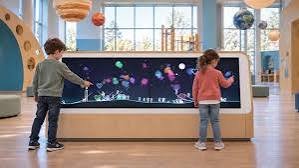
From the entrance to a small ceramics exhibit, visitors can see a bright wall map straight ahead and a glazed jar in a case to the left. The curator wants them to meet the jar first. In the floor plan, the route looks obvious. From a visitor’s point of view, the map takes up more of the frame and catches the light. For an early walkthrough rehearsal, use Veo Online’s Free Flow AI Video Generator page, an independent Flow alternative, to sketch the competing sightlines while the exhibition team can still discuss the order of the experience.
A short motion sketch gives the curator, designer, and educator a shared moment to review. They can watch where the jar enters the frame, where a plausible visitor would pause, and how a second person might approach the case. The team can then take specific questions back into the physical room.
Walk the entrance with a reason to pause
Begin with the floor plan, a photo from the doorway, and a photo taken a few steps inside. Mark the first intended stop, the second strong visual object, and the direction of travel. If the display team already has fixture dimensions, keep them with the plan. A visitor standing at the threshold sees a sequence of objects as they walk, and those fixed measurements give the team a reference when the prototype alters the space.
Write down the first question you want visitors to ask. A ceramics curator might want someone to wonder how a large jar was carried. That question suggests a different approach than a route that starts with an overview of trade routes. Allow the jar and its label enough space and time to invite a close look before the map introduces the broader context.
Choose landmarks to keep stable in every sketch
Select three anchors from the room, such as the entrance edge, the jar case, and the wall map. Mark their relative positions in a starting reference and note which object should enter the frame first. Keep the object descriptions concrete. An off-white jar with a dark rim in the left case is easier to recognize across samples than an instruction to show a historic artifact.
Add a frame from the intended stopping point. It should make clear whether the viewer would face the object, see its label, or have to take another step to read. Share the reference images with the people who know the room, including visitor services staff if they have noticed where groups tend to gather. Their comments can expose a gap between an attractive sketch and the way visitors occupy the space.
Test two ways to draw attention toward the first case
Sketch one version in which the camera tracks forward briefly and turns left when the jar comes into view. In the other, keep the same route and shift emphasis toward the case with a stronger outline or a slower final approach. Ask the team to watch both without the map or floor plan beside them. A useful prompt specifies the start, route, and stopping point with one instruction about visual emphasis.
If the first test leaves the route unclear, use Try seedance 2.5 for free as a second starting point on Veo Online and check the current trial terms. Bring over the entrance view, landmark descriptions, and intended pause. Compare the takes on the same question. Ask each viewer when they first notice the jar and where they think the route takes them next.
Ask reviewers to describe where they would stop
Play each sketch once and have reviewers write down where they would pause. The moment when they notice an object can be different from the moment they feel able to approach. Someone may spot the jar early and continue toward the map because the path to the case feels ambiguous. Ask what visual cue gave them that impression. A case edge, sign, or bright patch of floor could become the next variable to test.
Run the same review with a lower viewpoint and a version that approaches from the other side of the entrance. Treat each as a prompt to inspect the real room. If an important label disappears behind the case edge in both versions, bring that issue to the designer. A simple photo from the approximate viewing position can help the team see how much of the obstruction belongs to the physical setup.
Check the important decisions in the actual room
Use floor tape or paper markers to represent fixture positions before moving any case. Walk along the intended route and pause where the prototype suggests. If several people could stand there at once, have a colleague take up the next likely viewing position and look for conflicts in the surrounding circulation. Use the site’s real measurements and have the exhibition team review the arrangement against its access requirements.
Check the text at the intended viewing distance with the actual type size. Test how light reflects from the case when seen from the doorway and from the stop. If the design team moves either of the competing landmarks, capture an updated entrance photo from the same position. The updated reference helps everyone agree on the part of the room being discussed.
Share a walkthrough with decisions people can act on
Prepare a small set of frames with one sentence for each decision. The first can show which object should catch a visitor’s attention. The next can show when the label becomes legible. The last can show how the visitor is invited into the wider story on the map. Label any mock objects or temporary finishes so reviewers can tell which details belong to the spatial test.
Keep the notes close to the images and record who will check each point in the gallery. When the case is installed, compare a real entrance photo with the original question about the first stop. The team will have something concrete to review even if the finished room looks different from the motion sketch. The value of the rehearsal is the attention it brings to the visitor’s first few steps.